
English
English
Views: 0 Author: Site Editor Publish Time: 2026-09-08 Origin: Site


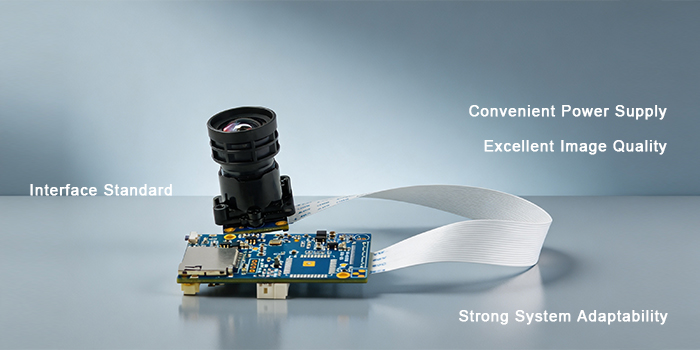
FPV Starlight full-color USB cameras can output color images at ultra-low illumination of 0.0001 Lux, widely used in outdoor security, vehicle night-vision systems, AI intelligent recognition, and other low-light scenarios. Choosing the right video compression format can save up to 70% of storage space, minimize transmission latency, and directly boost AI recognition accuracy.
Today, we provide a full-scenario deep dive into the five most common video compression formats for FPV Starlight full-color USB cameras—H.265, H.264, MJPEG, YUY2, and N12—to help you directly pick the optimal solution for your project.

In low-light conditions, Starlight full-color images carry a wealth of dark‑detail information. If you choose a high-bitrate format, your hard drive fills up quickly; if you pick an over‑compressed format, low‑light noise gets blurred into color blocks, causing AI facial recognition to fail; and if you select an incompatible format, embedded platforms may stutter or drop frames, crippling the entire system.
Our company’s FPV Starlight full‑color USB cameras simultaneously support all five mainstream formats—H.265, H.264, MJPEG, YUY2, and N12—giving developers flexibility for diverse scenarios.
1. H.265 (HEVC) – High Compression, Saves Both Storage and Bandwidth
H.265 is a next‑generation efficient coding standard that improves compression ratio by about 50% while maintaining image quality close to H.264.
Pros: High compression ratio, low bandwidth usage, small video file sizes—ideal for long‑term storage and network transmission. For Starlight night videos, it retains more color details under limited bandwidth.
Cons: Encoding requires significant hardware compute power; decoding demands certain device performance.
Best for: Night‑time security recording, remote network preview, long‑duration video storage—suitable for NVR and platform recording workflows.
2. H.264 (AVC) – The Compatibility King, Universal Choice
The most widely adopted lossy compression format, supported by virtually all platforms, players, and embedded boards.
Pros: Exceptional compatibility, rich software/hardware decoding resources, high stability, and easy debugging.
Cons: At the same image quality, bitrate and storage requirements are roughly double those of H.265. With Starlight images containing more noise, the bitrate can increase noticeably.
Best for: General video preview, standard recording, integration with various third‑party platforms—projects where compatibility is the top priority.
3. MJPEG (JPEG Stream) – Simple, Reliable, Frame‑Independent
MJPEG compresses each frame independently as a JPEG image and outputs them sequentially, with no inter‑frame dependency.
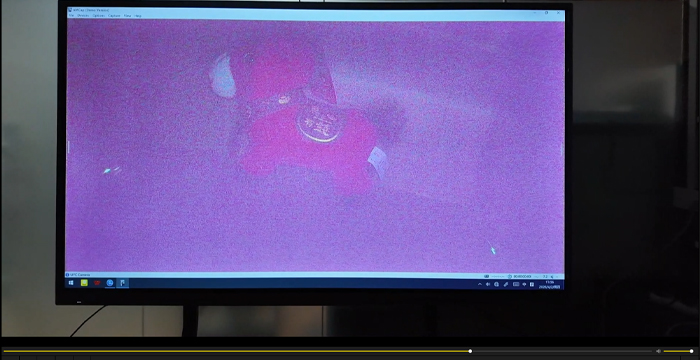
Pros: Each frame is self‑contained—lost frames don’t cause cascading artifacts. Extracting a single frame is easy without complex decoding. Latency is controllable.
Cons: Low compression efficiency; high bandwidth consumption at the same resolution; at high resolutions, it can easily saturate USB bandwidth.
Best for: Snapshot capture, still‑image acquisition, scenarios that require extraction of individual frames—not suitable for continuous long‑duration streaming.
4. YUY2 – Uncompressed Raw Image, Preferred for AI Algorithms
This is an uncompressed raw pixel format with no encoding loss, preserving the full sensor output information.
Pros: Lossless image with complete color data. Feeding it directly to AI algorithms or image analysis avoids compression‑induced noise or artifacts—highly beneficial for low‑light Starlight scene recognition.
Cons: Massive data volume, extremely demanding on USB bandwidth; not compressed, so not suitable for direct recording or storage.
Best for: Machine vision, edge‑box AI inference, secondary image processing—not for direct network streaming or storage.
5. N12 (NV12) – Mainstream Raw Format in Embedded Systems
A YUV planar format, commonly used as the native raw data stream for cameras and embedded chips, and the default output of many ISPs.
Pros: Lower data volume compared to YUY2, reduced CPU usage. Natively supported by Rockchip, HiSilicon, and other embedded platforms—ideal for on‑board secondary image processing with Starlight cameras.
Cons: Raw stream cannot be played directly; requires an application layer to decode and render. Standard media players cannot open it natively.
Best for: Linux embedded development, SDK‑based secondary development, local image processing—often used in industrial and AI edge devices.
| Use Case | Recommended Choice |
|---|---|
| Network transmission + long‑duration recording | Prefer H.265 > H.264 |
| AI algorithm recognition / image analysis | Prefer YUY2 or N12 (raw formats) |
| High‑frequency capture / single‑frame snapshots | Prefer MJPEG |
| Embedded Linux board secondary development | Prefer N12 |
Important Note: In Starlight low‑light conditions, image noise tends to increase the compression encoding bitrate. If you choose H.264 or H.265, it is advisable to raise the bitrate appropriately to avoid blocky artifacts or banding in night‑time footage.
Q1: For night‑time AI recognition with a Starlight USB camera, should I choose YUY2 or N12?
A: Both are raw image formats with no compression loss, and both are suitable for AI inference. For Windows platform development, prefer YUY2 for better generality. For Linux embedded projects (Rockchip, HiSilicon, etc.), prefer N12—it has smaller data size, lower CPU usage, and better hardware ISP adaptation. We do not recommend using H.264/H.265 compressed streams for AI analysis, as compression loses subtle details and reduces recognition accuracy in low‑light scenes.
Q2: For Starlight night‑vision recording, is there a big difference between H.265 and H.264?
A: At the same image quality, H.265 saves about half the bandwidth and storage. Because night‑time Starlight images contain more noise, H.265’s encoding algorithm handles noise more effectively. If your device supports H.265 decoding, prioritize H.265; for older devices without H.265 support, use H.264. In night‑time environments, we recommend increasing the bitrate slightly to avoid compression‑induced macroblock artifacts.


