
English
English
Views: 0 Author: Site Editor Publish Time: 2026-10-14 Origin: Site


Choosing Sony FCB zoom camera modules not only maxes out the imaging hardware, but also delivers second-to-none fast autofocus and true color reproduction. But how should you choose debugging tools to avoid detours?
Large companies have sufficient budgets and complete hardware teams. They can assemble an ISP debugging team, capture cards for different interfaces, and a full set of encoding control boards, and can finely tune every parameter.
But small companies are different: they have fewer R&D staff, limited budgets, and tight project schedules. Choosing the wrong debugging tool can, at best, waste money and, at worst, slow down the entire project's launch schedule.
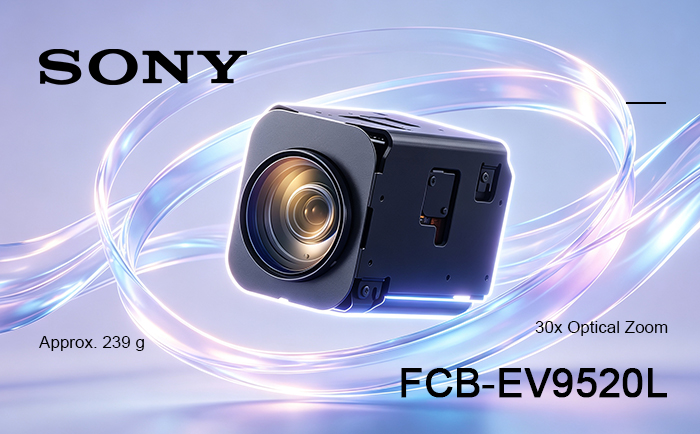
Sony (China) Official Authorized Dealer and HD video secondary development solution provider—Our company—has specially put together a minimalist, low-cost, and high-efficiency selection logic for debugging tools for Sony FCB zoom camera modules for small companies, so you can avoid 90% of detours in debugging tool selection.
Based on debugging scenarios for Sony FCB zoom camera modules, small companies only need to focus on the following core dimensions when choosing debugging tools, and they will basically not go wrong:
1. Compatibility coverage: One set of tools should ideally be compatible with mainstream models such as Sony FCB-EV9520L, FCB-EV9500L, Tamron MP3010M-EV, and VRS-HD5201 at the same time. There is no need to buy a new set of debugging equipment every time you switch camera modules, reducing repeated investment.
2. Ease of use: Prioritize mature, driver-free, plug-and-play solutions. You do not need to spend a lot of time writing drivers or tuning signals. Plug it in and get a picture, allowing your limited engineering resources to focus on core business development.
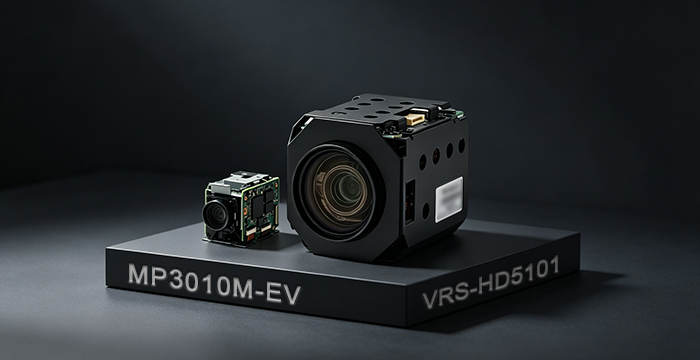
3. Comprehensive functionality: For zoom camera debugging, it is best to choose a tool with complete functions. If video conversion and capture functions are separate, you will need to integrate an additional tool.
4. Portability for scenarios: Engineers at small companies often need to do development in the lab and also visit customer sites for demonstrations. A compact and portable debugging tool saves you from carrying a bunch of adapter cables and bulky equipment. A laptop plus a small module can complete all debugging work.
For the vast majority of small companies, the USB C Video Capture Interface Board independently developed by Our company is a cost-effective solution for debugging Sony zoom camera modules.
It integrates three major functions—video encoding, VISCA protocol control, and HD capture—onto a PCB board less than 50 mm. With power and a single USB cable, it can simultaneously transmit and capture video signals and camera module control signals. There is no need for a bunch of external adapter cables and capture cards, instantly decluttering your desk.
The USB C Video Capture Interface Board uses the standard UVC protocol and can display images driver-free on the three mainstream systems: Windows, Mac, and Linux [1]. After installing the CH340N driver, you can directly adjust all camera module parameters such as zoom, focus, and white balance through a serial port tool. Even beginners can get started quickly.
The USB C Video Capture Interface Board uses domestically produced integrated chips and integrates capture, encoding, control, and other functions into one module, reducing the need to connect external devices. The procurement cost of the entire solution is far lower than other encoding and capture solutions, making it very friendly to budget-sensitive small companies. At the same time, its compact size means engineers can slip it into a laptop bag and take it to customer sites. Plug it into a laptop and get HD images, making prototype demonstrations look highly professional.
If your project has more specialized scenario requirements, you can also supplement your selection accordingly:
1. Compatibility with 4K Zoom Camera Modules
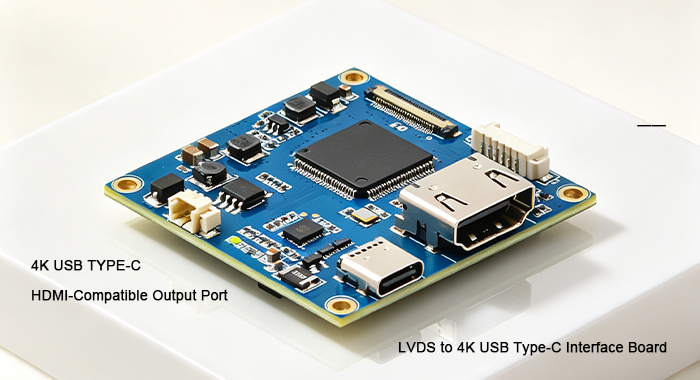
The USB C Video Capture Interface Board only supports Sony HD camera modules and most third-party camera modules compatible with Sony's VISCA protocol. If your project needs to connect to 4K zoom camera modules, please directly choose the 4K USB C Video Capture Interface Board to achieve stable capture of 4K UHD signals and camera module control.
2. Extreme Operating Conditions
For special scenarios such as outdoor low-temperature operations and industrial high-temperature production lines, it is recommended to choose the USB3.0 Encoding Capture Module. Its operating temperature covers the full range from -40°C to 75°C. It can maintain stable operation in extreme cold and high-temperature environments, completely avoiding the low-temperature frame drops and high-temperature crashes common in ordinary capture modules.
First, prioritize mature solutions that provide complete technical support. Do not choose niche third-party modules without after-sales service. When you encounter debugging problems, you can directly reach technical support, avoiding many detours.
Second, get samples first for small-scale validation. After confirming compatibility with your camera module model and development environment, then make bulk purchases to avoid unnecessary losses caused by compatibility issues.
Third, prioritize general-purpose debugging tools that can be reused across multiple projects, maximizing equipment utilization and spending limited R&D budget where it matters most.
Q: Can the USB C Video Capture Interface Board directly support the entire Sony FCB series of zoom camera modules?
A: No. The USB C Video Capture Interface Board can only support HD camera modules, such as FCB-EV9520L and FCB-EV9500L. For 4K UHD camera modules, such as FCB-ER9500 and FCB-ER8530, you need to choose the 4K USB C Video Capture Interface Board.
Q: Small companies are short-staffed and do not have dedicated hardware engineers. Can they quickly get started using this module to debug camera modules?
A: Absolutely. The USB C Video Capture Interface Board uses the standard UVC protocol and is driver-free and plug-and-play on mainstream systems. Even technical engineers without hardware debugging experience can complete the wiring, get HD images, and control camera module zoom and focus, without requiring complex hardware development capabilities.


