
English
English
Views: 0 Author: Site Editor Publish Time: 2026-07-22 Origin: Site


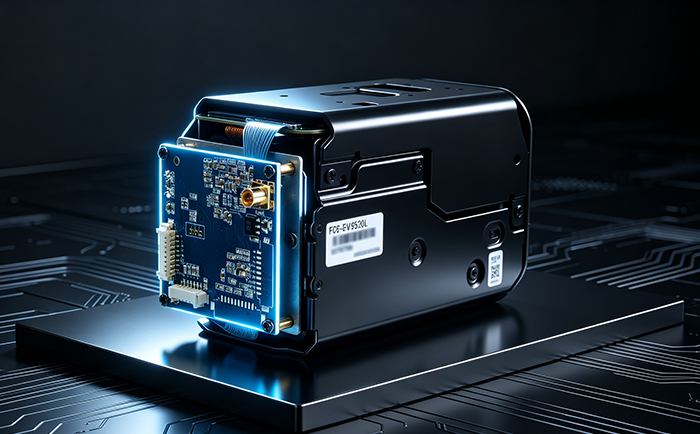
In projects including UAV equipment inspection, medical equipment, industrial inspection, robotics and high-end security, the Sony FCB-EV9520L has become a mainstream integrated camera module in the industry, featuring powerful specifications such as 30x optical zoom, starlight-level low-light performance and high-definition LVDS output.
As an officially authorized distributor of Sony (China) and a developer of high-definition video secondary development solutions, Our company delivers full HD real-time video output for the Sony FCB-EV9520L via its self-developed 3G-SDI interface board.
However, how can VISCA control commands be sent under the Linux system to adjust parameters such as zoom, focus, white balance and exposure?
Many users encounter issues including unresponsive control, command lag, and desynchronization between video and control signals due to incorrect wiring, improper port configuration or mismatched command protocols. Today, Our company presents a complete and implementable solution for sending VISCA commands under Linux with the Sony FCB-EV9520L paired with the 3G-SDI interface board, enabling rapid commissioning and deployment.
First, clarify the interconnection architecture of the full set of equipment, which serves as the foundation for normal communication and control:
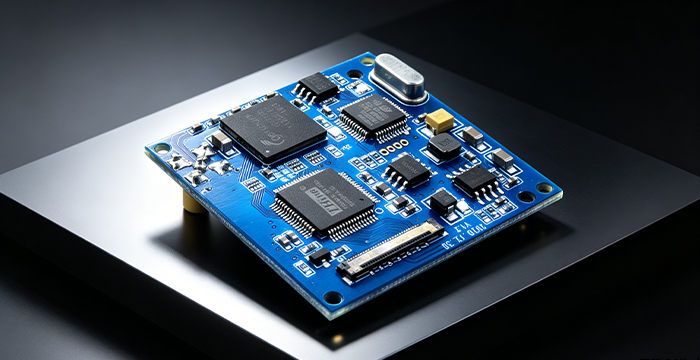
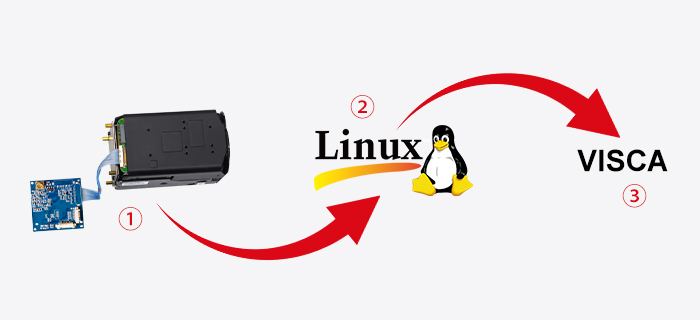
The Sony FCB-EV9520L camera module connects to the 3G-SDI interface board via an LVDS cable. The encoder board converts LVDS signals into 3G-SDI high-definition video output, supporting lossless 1080P60 video transmission.
Meanwhile, the 3G-SDI Interface board supports TTL-232 and RS485 control, with full compatibility with the Sony VISCA control protocol. Through the TTL-232 serial port channel on the encoder board, the Linux system can send commands to control the FCB-EV9520L. The video transmission link and device control link operate independently without mutual interference.
VISCA is a dedicated control protocol developed by Sony for the FCB series camera modules. It boasts high command precision, comprehensive functions and stable response, supporting adjustments of hundreds of parameters including zoom, focus, exposure, white balance and preset position recall.
The 3G-SDI Interface board tailored for the FCB-EV9520L integrates a protocol parsing and serial control module, bridging communication between the Linux system and the Sony camera module:
Linux system transmits standard hexadecimal VISCA commands → TTL serial converter forwards commands → Encoder board receives commands via serial port → Command parsing and verification → Commands forwarded to FCB-EV9520L camera module → Module executes corresponding actions and returns response signals, forming a closed-loop control workflow.
The whole process requires no complex development, featuring simple configuration and efficient implementation. Detailed steps are listed below:
Step 1: Hardware Wiring
1. Connect the Sony FCB-EV9520L to the 3G-SDI interface board using an LVDS cable to establish the video signal link;
2. Connect one end of the TTL serial converter to the 3G-SDI interface board, and the other end to the Linux system. Complete proper grounding to avoid signal interference;
3. Power on the entire system, and verify that the Sony FCB-EV9520L starts normally and stable SDI video output is available.
Step 2: Linux Serial Port Configuration
1. Install the serial port driver and launch a serial debugging tool;
2. Unify communication parameters: Baud rate 9600/115200 (default 9600 for FCB-EV9520L), 8 data bits, 1 stop bit, no parity. All parameters must match exactly; otherwise commands will fail.
Step 3: VISCA Command Control
Through the serial channel of the 3G-SDI interface board, the Linux system can send standard VISCA commands via serial debugging tools to accurately control the Sony FCB-EV9520L. Examples of core commonly used commands:
Zoom In: 81 01 04 07 26 ff
Zoom Out: 81 01 04 07 36 ff
Functions such as white balance switching, exposure adjustment, preset position storage and recall can all be realized via corresponding standard VISCA commands.
As an officially authorized distributor of Sony (China), Our company has focused on supporting secondary development solutions for Sony FCB camera modules for 17 years. For the combined solution of Sony FCB-EV9520L and 3G-SDI interface board, we provide full-cycle pre-sales, in-sales and after-sales technical consultation, implementation support as well as customized development services.
Conclusion
The combination of FCB-EV9520L and the 3G-SDI interface board addresses the challenge of controlling Sony zoom camera modules under Linux. It delivers both high-definition video output and flexible parameter adjustment, making it ideal for low-altitude inspection, intelligent security, machine vision, traffic monitoring and many other scenarios.
If you require the technical protocol document of Sony FCB-EV9520L or sample unit testing, feel free to contact Our company to acquire customized all-in-one solutions!


