
English
English
Views: 0 Author: Site Editor Publish Time: 2026-06-10 Origin: Site


System integrators face a constant hardware battle. They must balance optical performance and autofocus speed perfectly. At the same time, strict SWaP (Size, Weight, and Power) constraints rule the entire design. Standard off-the-shelf cameras frequently fail in these tight environments. They are either too bulky or completely lack integration flexibility. Engineers must pivot to specialized OEM modules to solve this problem. These integrated units power advanced machine vision and monitoring systems globally. They form the precise optical core of modern automation systems.
This article clarifies exact use cases for these versatile modules. We will establish clear, actionable evaluation criteria. You will also learn about hidden implementation risks. Addressing these risks early prevents costly redesigns before finalizing your hardware selection. You need a module tailored perfectly to your environment. Understanding these core technical nuances guarantees a successful product deployment.
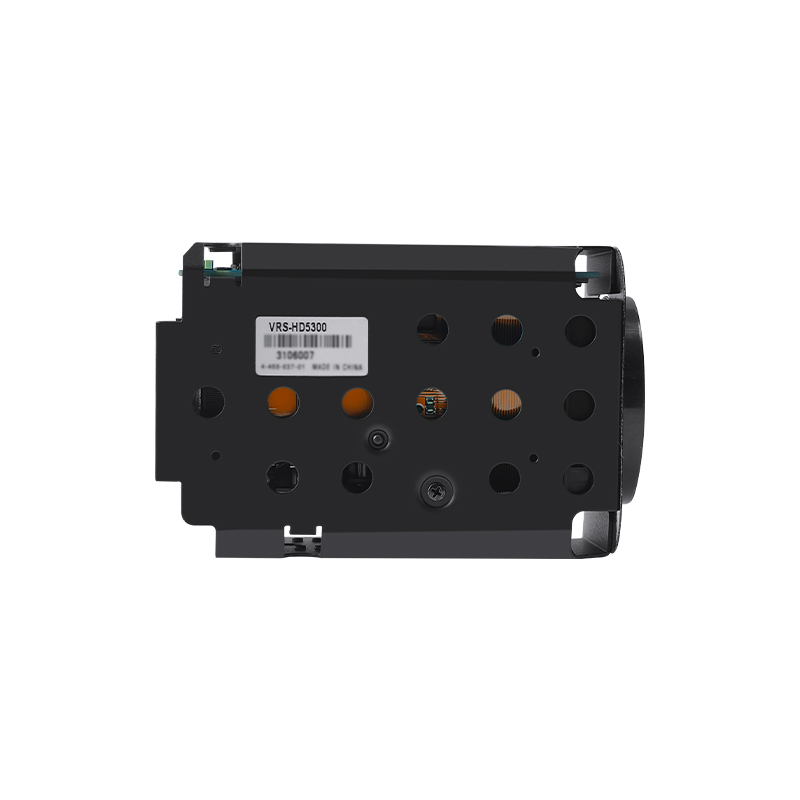
A block camera is an integrated module combining an image sensor, optical zoom lens, and Image Signal Processor (ISP), built specifically for OEM integration.
Application environments range from high-vibration systems (Drone, Robot) to precision-critical fields (Medical Devices, Industrial Inspection).
Selecting the right module requires evaluating beyond resolution—factors like output interfaces (LVDS, HDMI, SDI), latency thresholds, and autofocus stability dictate project success.
Vendor selection must account for long-term supply chain stability and integration support (e.g., VISCA protocol compatibility).
Engineers often misalign camera specifications. They forget underlying system limitations. Understanding the internal architecture prevents costly redesigns late in the development cycle. You need to know exactly what happens inside the module to maximize its performance.
The module relies on three fundamental pillars. Each component works together to deliver a clean video feed.
Optics: Integrated zoom lenses form the front end. Optical magnification physically shifts glass elements. This retains total image clarity. Digital zoom simply crops pixels. It degrades image quality quickly. You must rely on optical reach for critical identification.
Sensor & ISP: The Image Signal Processor (ISP) acts as the brain. It handles real-time autofocus constantly. It corrects lighting in wide dynamic range (WDR) environments. It reduces low-light noise before outputting the final frame. A weak ISP ruins a great sensor.
Form Factor: Manufacturers provide bare-board or semi-enclosed designs. Bare-board models shed weight. Semi-enclosed units offer minor structural protection. Both styles fit perfectly into tight spatial constraints.
Common Mistake: Teams often ignore ISP capabilities. They focus solely on megapixel counts. High resolution means nothing if the ISP fails to focus quickly during sudden movements.
Let us align specific camera capabilities directly. Vertical-specific success criteria matter immensely. Deployment environments dictate the appropriate hardware choices.
Aerial vehicles operate under extreme conditions. A Drone needs exceptionally low weight. UAVs require fast autofocus during rapid directional movement. Anti-vibration performance is strictly non-negotiable here. Optical stabilization keeps the horizon level.
Ground and aquatic units face different challenges. A Robot operating in dark warehouses relies on low-light sensitivity. An Underwater Robot tests equipment limits further. ROVs (Remotely Operated Vehicles) need highly modular outputs. They must fit snugly inside pressurized, waterproof housings. Space is always at a premium.
Precision is life-saving in medicine. Medical Devices require true-color reproduction. Surgeons must differentiate tissue types easily. Macro-focus capabilities allow extreme close-up inspection.
During Medical Detection procedures, low latency is critical. Surgical or diagnostic imaging displays must react instantly to physical movements. A lag of even a few milliseconds disorients the operator. Engineers prioritize direct, uncompressed video signals here.
Perimeter defense relies on constant vigilance. Security monitoring networks use PTZ (Pan-Tilt-Zoom) dome cameras extensively. These domes house powerful block modules. Long-range optical identification spots intruders from miles away. They cut through fog and rain.
Infrastructure requires regular checks. Industrial Inspection tasks cover pipeline monitoring and manufacturing lines. Defect detection catches microscopic flaws quickly. Hazardous environments need powerful optical zoom. You can inspect dangerous chemical plants safely from a distance.
Audio-visual integration demands seamless operation. A Video Conference setup requires silent zoom mechanics. Loud motors interfere with microphone audio. Smooth tracking keeps active presenters perfectly in frame.
In modern Distance Education, face-priority autofocus is essential. The camera locks onto the teacher automatically. It ignores background movement. Students receive a distraction-free broadcast.
Engineers need a strict decision framework. Shortlisting hardware involves comparing interconnected specifications.
More pixels do not always guarantee better performance. Sometimes 1080p is absolutely sufficient. A standard CCTV 2MP Block Camera fits traditional security arrays perfectly. Bandwidth-limited underwater ROVs also prefer lower resolutions. High-definition streams consume too much data over long copper tethers.
However, you must scale to 4K occasionally. Precision medical fields require ultra-high definition. Broadcast environments also demand it.
Assess specific modules against strict project requirements. Evaluate the Volers Full HD Block Camera carefully. Check the optical zoom ratio first. Verify the physical sensor size. Larger sensors capture more light. Confirm the low-light LUX ratings. A lower LUX number means better night vision.
You must match the output to your system motherboard. Different interfaces serve different architectural needs.
| Interface Type | Signal State | Primary Use Case | Latency |
|---|---|---|---|
| LVDS | Raw, Uncompressed | Direct to custom carrier boards. Ideal for tight internal wiring. | Zero Latency |
| HDMI / SDI | Processed, Ready | Direct display connections or long-distance broadcast transmission. | Minimal Latency |
| MIPI | Raw, High-Speed | Embedded systems, mobile processors, and compact drone platforms. | Zero Latency |
Hardware needs software commands. The industry standard relies heavily on Sony VISCA. Pelco-D and Pelco-P also maintain legacy support. You must ensure the manufacturer provides reliable SDKs and APIs. Custom software integration depends entirely on these digital handshakes.
Experience-based warnings matter deeply. Deployment failures happen often when teams ignore basic physics. You must respect the physical constraints of optical hardware.
These cameras generate significant heat. The ISP works incredibly hard processing video. Sealed enclosures trap this heat instantly. Underwater housings are highly susceptible. You must implement passive cooling designs. Thermal pads transfer heat to the outer metal casing. Fans are rarely an option in waterproof spaces.
Continuous mechanical shock is highly dangerous. It affects lens alignment severely. Over time, the optical axis shifts permanently. Images become soft and blurry. You must design proper dampening mounts. Rubber isolators absorb high-frequency vibrations effectively.
Mechanical movement takes time. You send a zoom command. The motor physically moves the glass. This creates a tiny delay. This delay disrupts automated tracking systems. Predictive algorithms must compensate for this mechanical lag. Otherwise, the camera overshoots the target.
Best Practices for Integration:
Always route LVDS cables away from noisy power lines.
Test thermal dissipation at maximum operating temperatures.
Verify autofocus recovery time after a sudden mechanical shock.
Procurement and engineering teams need concrete action items. Follow a structured path to ensure hardware success.
Buying evaluation kits is a mandatory first step. Never design a custom board blindly. Interface boards let you plug the camera into a standard monitor immediately. You prove the optical concept early. You avoid costly PCB redesigns later.
Avoid consumer-grade sensors completely. They phase out in 12 months. Your product lifecycle likely spans five years. Ensure the manufacturer guarantees a multi-year industrial lifecycle. Ask for strict End-of-Life (EOL) roadmaps before signing contracts.
Assess firmware support rigorously. Check their engineering documentation. It should be clear and accessible. Local technical assistance saves projects. Time-zone delays stall critical troubleshooting. Choose a partner who speaks your technical language.
Shortlisting Checklist:
Define absolute maximum dimensions (SWaP).
Select the required video output format.
Purchase an evaluation board kit.
Test VISCA protocol response times.
Confirm industrial lifecycle guarantees.
A module is not a standalone product. It acts as the optical engine of a much larger system. Selecting the right hardware ensures your final product functions flawlessly in the field.
We advise integrators to finalize their environmental constraints first. Pin down your heat, vibration, and size limits. Map out your output requirements strictly before comparing optical specifications. Do not let megapixel marketing distract you from integration realities.
Request an evaluation board today. Book a deep technical consultation with an integration specialist. Prototyping early is the smartest engineering decision you can make.
A: Block cameras lack outer housings and direct network interfaces usually. They output raw, uncompressed video and control signals. You integrate them directly into OEM housings like PTZ domes or drones. Standard IP cameras are fully enclosed, standalone devices ready for immediate network connection.
A: LVDS provides an uncompressed, zero-latency signal directly to custom carrier boards. It is ideal for compact internal wiring. HDMI connectors are bulky. They are meant for external displays, not tight internal embedded system integration.
A: Yes, but it requires a specialized waterproof housing. You must carefully design thermal management since the sealed space traps heat. You also often need a custom interface board to convert LVDS to fiber-optic or Ethernet for long-distance surface transmission.


